Capability health checks
Probe and monitor ENS-published MCP, A2A, and web endpoints.
Capability checks contact only HTTPS endpoints published by the ENS name. Operators can also sign a persistent monitor configuration that schedules observations, measures an SLO, and opens one deduplicated incident after two consecutive unhealthy runs.
Before you run this workflow
Networks
- Ethereum mainnet for ENS endpoint discovery
- Public HTTPS for protocol probes
Prerequisites
- An ENSIP-26 HTTPS endpoint record
- A controller signature only for persistent monitoring
Wallet permissions
- No wallet for one-off checks
- EIP-712 monitor schedule signature; no transaction authority
Expected result
- Timestamped per-endpoint state, latency, status, and advertised capability evidence
Errors and recovery
- Retry transient transport failures
- Rotate invalid endpoint records
- Require fresh evidence before privileged work
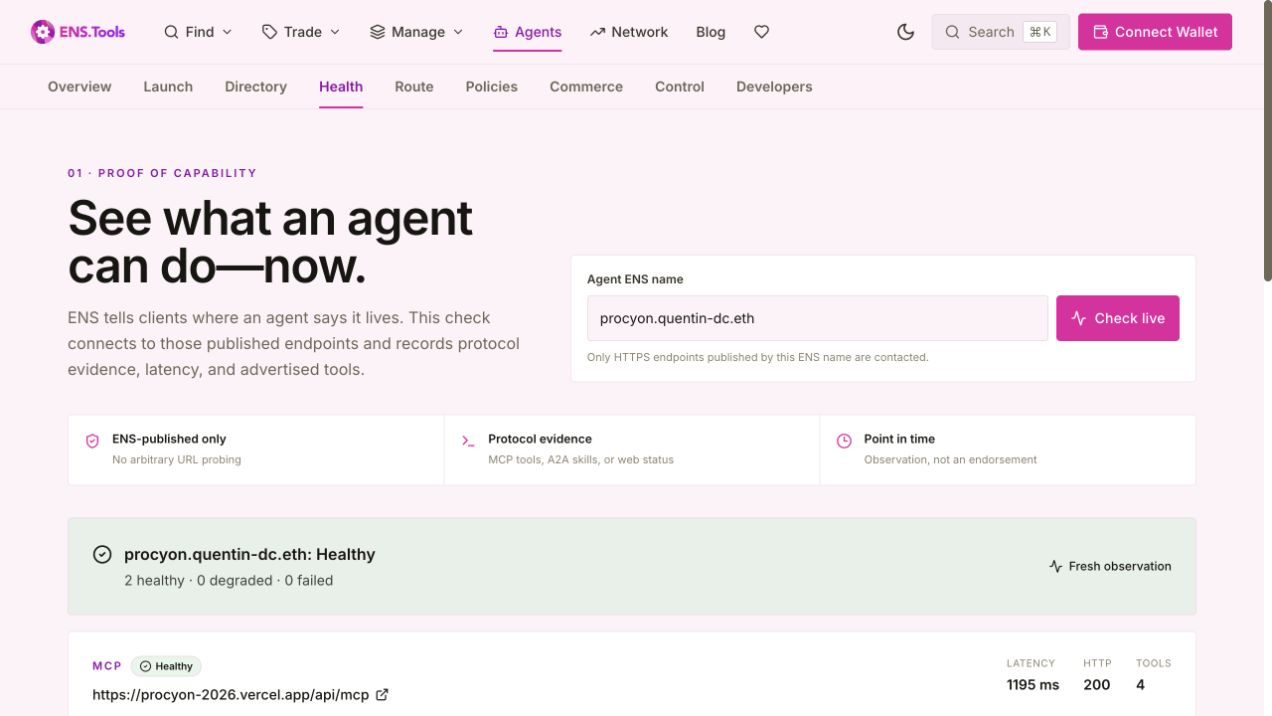
How to use it
- 1
Enter an ENS agent name
The checker resolves its published endpoint records; it does not accept an arbitrary probe URL.
- 2
Read each endpoint separately
One healthy web page does not prove the MCP endpoint works, and one failed endpoint does not erase other evidence.
- 3
Use the observation time
Re-check stale results before high-value or privileged work.
- 4
Sign a monitor schedule
The ENS controller signs monitoring configuration offchain. It grants no transaction or wallet authority.
- 5
Respond to incidents, not noise
Two consecutive unhealthy runs open one incident; two healthy runs resolve it. Repeated failures update the existing incident.
- 6
Keep claims narrow
The result proves a response at that moment, not operator identity, code safety, permission, or future uptime.